A new scam is tricking people into hacking their own computers
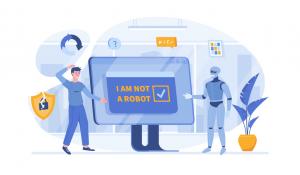
You've clicked "I'm not a robot" a thousand times. It's second nature: click the box, maybe select a few traffic lights, and move on with your day.
That's exactly why a new scam called Click-Fix is so effective.
It doesn't try to sneak malware onto your computer. Instead, it convinces you to install it yourself.
Here's how the scam works and how to make sure it never works on you.
How the Scam Works
You're browsing a website, perhaps one you've visited before or one that appeared in a search result, when a pop-up appears. It may look like:
- A routine "Verify you're human" check
- A browser update notification
- A message saying a document failed to load and needs to be fixed
The window looks polished and legitimate.
But instead of simply clicking a checkbox, you're instructed to:
- Press a few keys on your keyboard
- Paste something into a box
- Press Enter
That's the whole trap.
While you weren't looking, the website copied a hidden command to your clipboard. The instructions are designed to trick you into pasting that command into a location on your computer where it can actually run. Once you press Enter, the command can quickly download malware, steal passwords, grant a criminal remote access to your device, or even install ransomware that locks your files. The unsettling part is that no traditional "hacking" was needed. You didn't click a malicious attachment or download suspicious software. You simply followed instructions from a website, and that was enough.
Why It Works So Well
This scam succeeds because it doesn't feel like a scam.
It imitates things we've been trained to trust, such as:
- CAPTCHA verification screens
- Browser update prompts
- "Click here to view your document" messages
It also makes us feel like we're solving a technical problem ourselves. In reality, we're simply following instructions provided by a stranger.
The One Rule That Stops It Cold
Remember this:
A legitimate website will never ask you to copy, paste, and run a command to prove you're human, fix an error, or view a file.
A real CAPTCHA requires only a click or a simple challenge.
A legitimate website problem should never require you to paste unknown text into a command window, the Run dialog, PowerShell, Terminal, or Command Prompt.
If a website asks you to do this, close the page immediately. Do not paste anything, and do not press Enter.
Other Warning Signs
Be cautious if you see any of the following:
- A pop-up provides keyboard shortcuts or step-by-step instructions instead of a simple button.
- You're told to open the Run dialog, Command Prompt, PowerShell, or a Terminal window to fix a browser issue.
-
The message creates urgency with warnings such as:
- "Your device is at risk"
- "Verify now or lose access"
- "Your download failed"
- A security verification appears on a site where you wouldn't normally expect one.
What If You've Already Done It?
If you've already pasted and executed the command:
- Disconnect the computer from the internet immediately.
-
Avoid logging into sensitive accounts such as:
- Banking
- Payroll
- Corporate systems
- Contact your IT support team right away.
- Change passwords for any accounts that may have been accessed.
Don't panic, but do act quickly. Fast action can significantly reduce the potential damage.
The Bottom Line
Click-Fix works because it turns a trusted habit into an attack.
Instead of exploiting software, it exploits trust by convincing people to perform the attack themselves.
The protection is simple:
Real verification is always just a click. If a website asks you to copy, paste, and run something, stop immediately and close the page.
If you ever encounter a prompt like this and aren't sure whether it's legitimate, don't guess. Reach out to us.
We would much rather answer a quick question than help clean up after a scam.